Tenants and agreements
People and agreements are separate. One agreement can cover several people and rooms. Only an agreement makes a room Occupied.
On this page
Add a person
On the property’s Tenants tab, choose Add tenant. Only Full name is required. With a Phone or Email, their Board card offers Call, Text, Email and WhatsApp, which open your own apps.
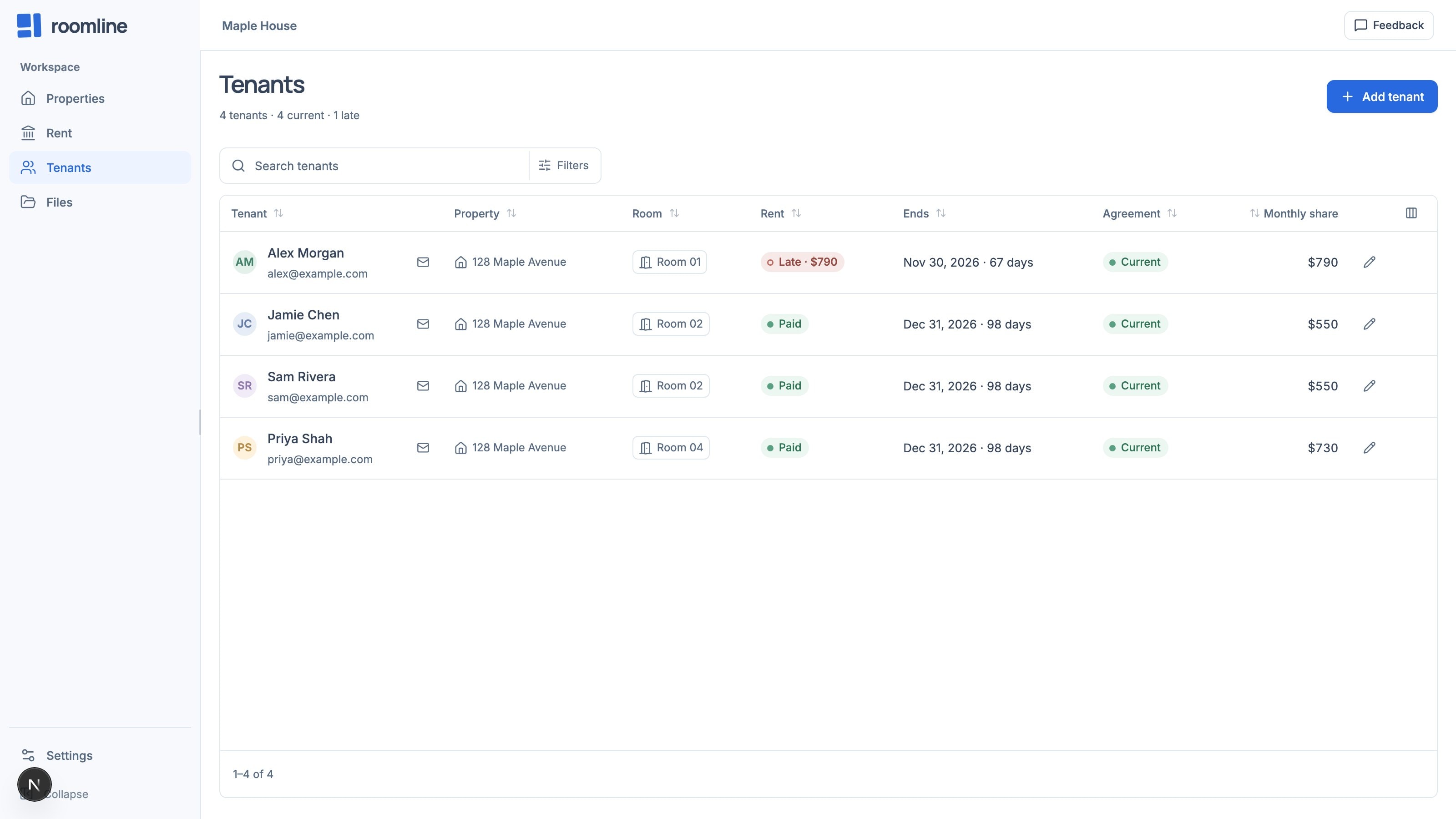
Start an agreement
Choose Record agreement on the property’s Agreements tab, or Set up a rental agreement in a room’s or person’s Details on the Board. A line dragged on the Board is only a link until you choose Add an agreement on it.
Record an agreement
- Step 1: Tenants & room
Choose the Tenants; archived people are listed last, under Archived. Choose Entire property or Specific rooms, pick the Rooms covered and, with several, each tenant’s room. Choose Continue.
- Step 2: Agreement details
Set the Agreement type, dates, Monthly rent ($), Security deposit ($) and Agreement status. Attach the signed copy as a File (up to 20 MB) or a Link.
- Additional details
Set the Rent due day, which rent matching uses. Use the house’s bills fills in Utilities. Choose Create agreement.
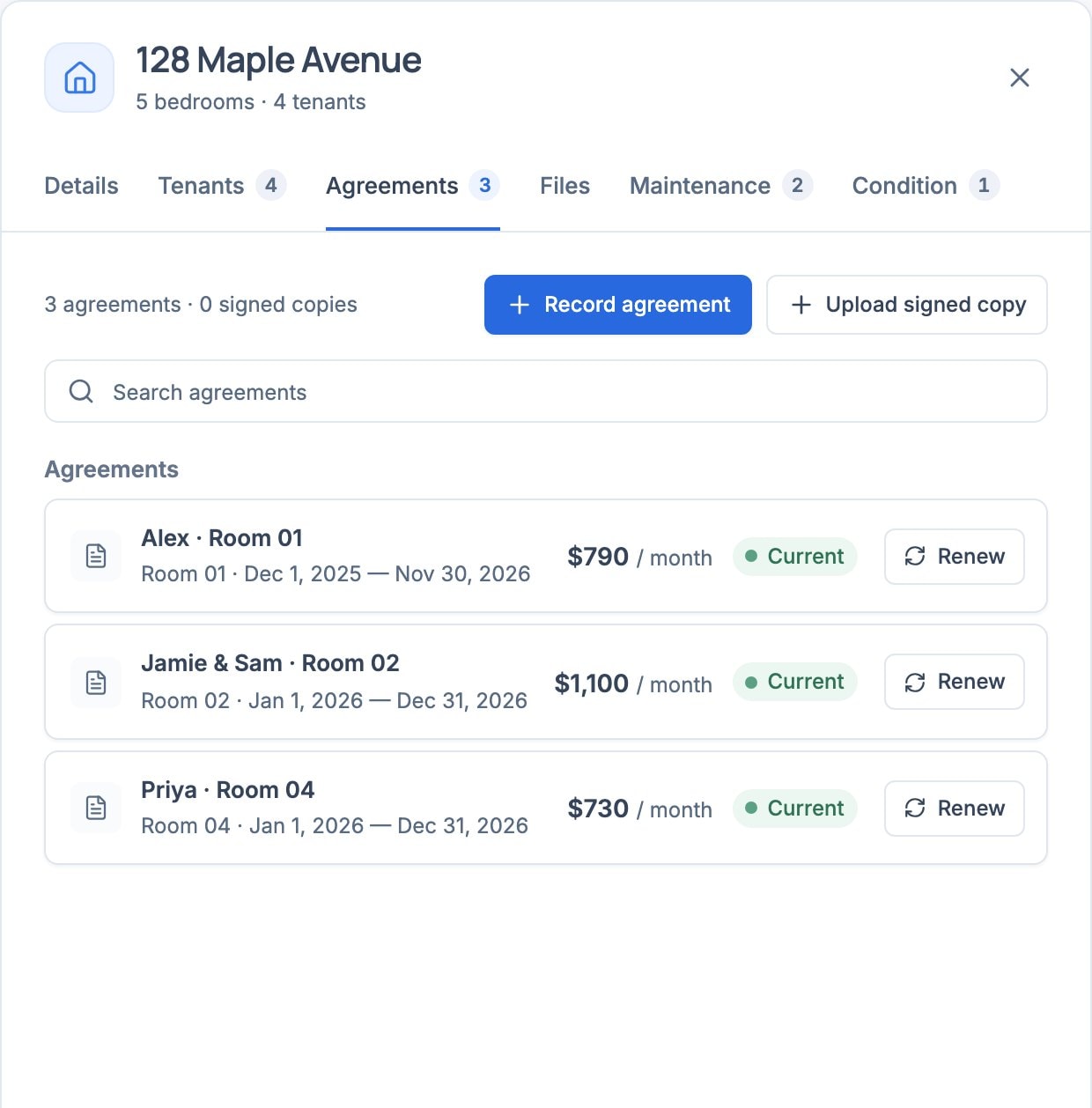
Split rent between housemates
With two or more tenants, step 2 shows Monthly shares: Split equally or Custom amounts. Shares must add up to the monthly rent. Each shows in Tenants as that person’s Monthly share.
Review and renew
Select an agreement on the Agreements tab. In its last 60 days the status counts down: Ends in 45 days.
- Renew drafts the next term from the day after this one ends. Set its End date and status, then save.
- Edit agreement changes any term. Copy summary copies a one-line summary.
End, cancel, archive, or bring back
- End an agreement
Open it and choose End agreement. It closes today; rent, files and condition records stay. For another date, edit the End date and set the status to Ended.
- Cancel a draft
A Draft offers Cancel agreement, which removes it. Its files stay with the property.
- Archive a past tenant
In the person’s Details, choose Archive. They leave the Board; their history stays.
- Bring someone back
Add them to a new agreement, which brings them back unless it’s Ended. Or filter Tenants by Archived and choose Restore.
If something does not look right
The room still shows Available or Agreement pending
Set Agreement status to Active, with a Start date of today or earlier.
Archive is greyed out
They’re on a current agreement. End it first.
Roomline won’t delete a person
Anyone who has been on an agreement is kept. Archive them instead.
Remove agreement is refused
It has files, condition records or a renewal. End it instead.