Account and privacy
What each part of Settings changes, what an export holds, and how to give a tool access without your password.
On this page
Workspace and sign-in
- Workspace name appears on reminders and receipts.
- Open a property on picks the page a property opens on: Overview, Board or Floor plan.
- Sign-in methods lists how you sign in. Use the same verified email to keep one account. Manage password changes your password.
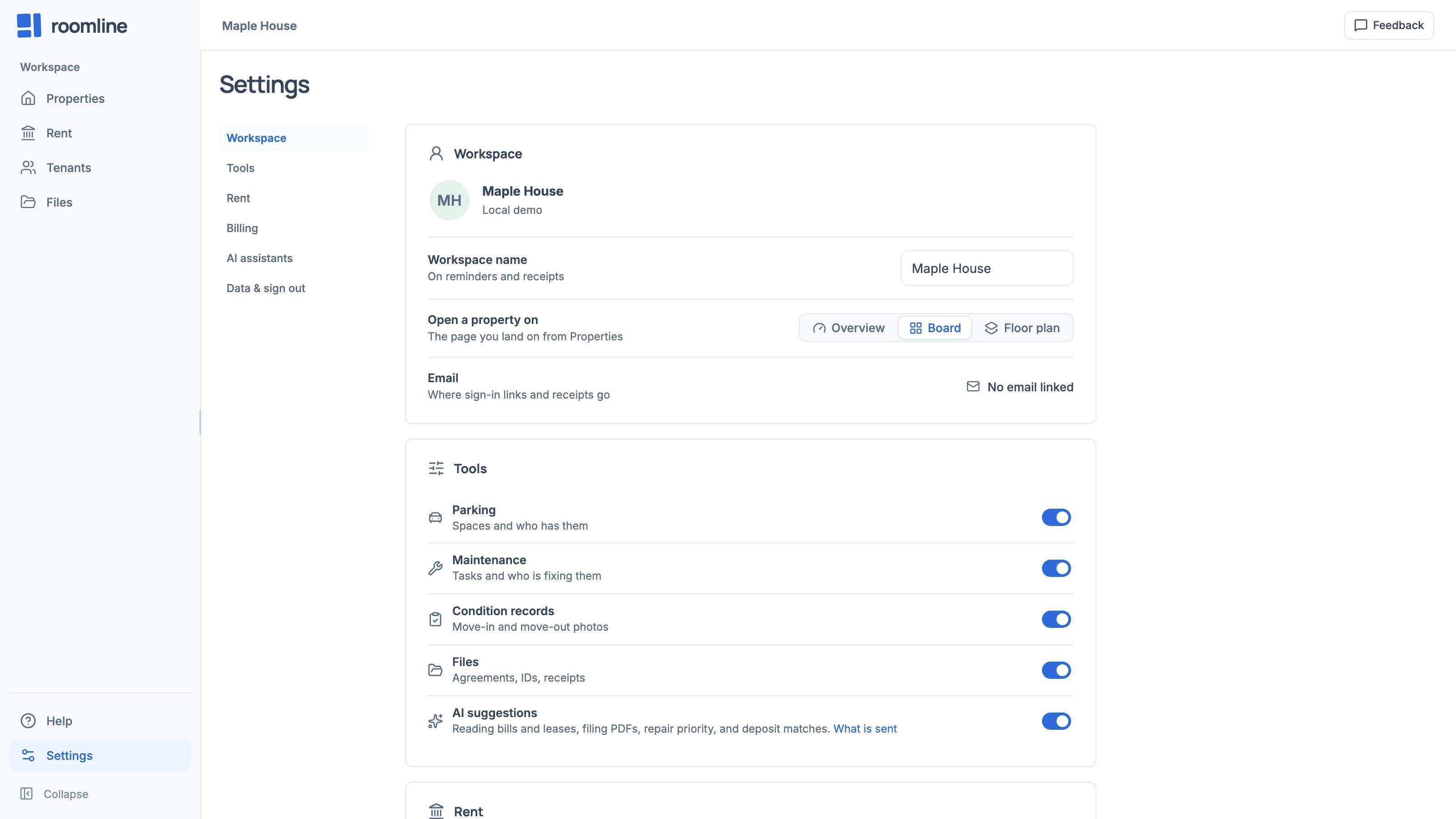
Tools and AI suggestions
Switch off Parking, Maintenance, Condition records or Files to hide them. Nothing is deleted, and it all returns when you switch back on.
AI suggestions reads bills and leases, files PDFs, and suggests a repair’s priority and room, and deposit matches, for you to check. Switch it off and nothing is sent.
Export your data
Under Data & sign out, Everything is a JSON backup of your records, including private tenant details and file links, but not uploaded files. Tenants and Rent ledger (last 12 months) are CSVs.
Create a personal token
Most assistants connect by signing in. A token is for a tool that can’t, or one that must change records. It needs a hosted Roomline account.
- Choose New token
In Settings › AI assistants, open Personal tokens and choose New token.
- Name it
Enter a Token label. Keep Read only unless the tool must change records.
- Copy it
Choose Create token, then Copy token. It’s shown only once.
- Revoke when done
Each token shows when it was last used. Revoke cuts it off at once.
Billing
Billing shows your plan and what counts toward it: units and bedrooms. Choose your plan starts a subscription; Manage subscription changes one.
Sign out
Choose Sign out under Data & sign out. It waits until your changes are saved.
If something does not look right
Sign out is unavailable
Changes are still saving. If the top bar stays on Not saved, open a property: Changes need attention offers Retry and Download changes.
Tokens are unavailable
They need a hosted Roomline account, not the demo.
I lost a token
It can’t be shown again. Revoke it and create a new one.