Connect Claude or ChatGPT to Roomline
Ask your assistant who is late, which rooms are empty or when agreements end, and it answers from your records.
On this page
Connect Claude
- Add a custom connector
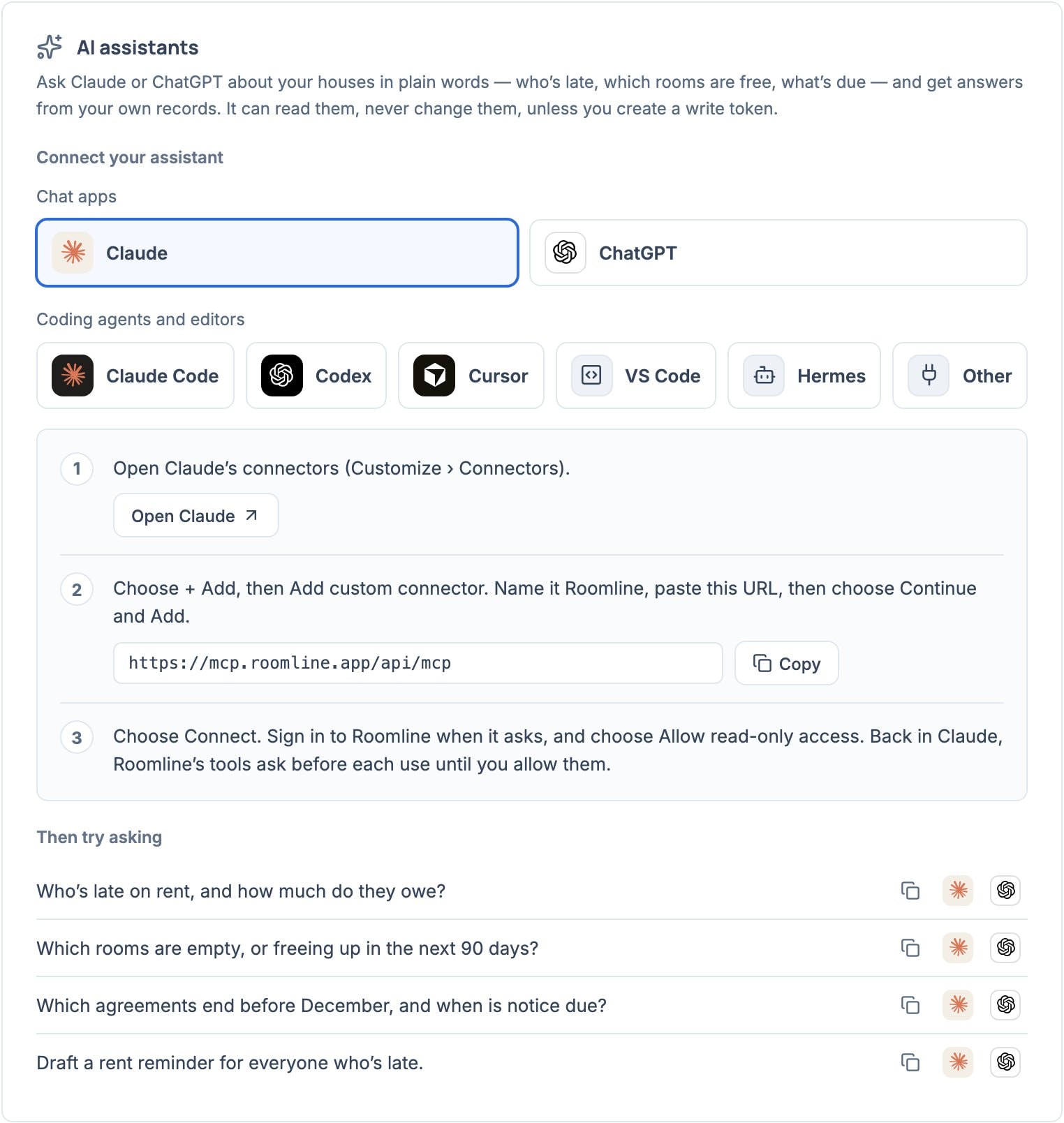
In Claude, open Customize › Connectors, choose + Add, then Add custom connector. Name it Roomline, paste https://mcp.roomline.app/api/mcp, then choose Continue and Add.
- Sign in to Roomline
Choose Connect, sign in, and choose Allow read-only access. Roomline’s tools ask before each use until you allow them.
Connect ChatGPT
- Turn on developer mode
In ChatGPT, open Settings › Apps & Connectors › Advanced and turn on Developer mode.
- Create the connector
Choose Create, paste https://mcp.roomline.app/api/mcp and choose OAuth. Sign in to Roomline and choose Allow read-only access.
Coding agents and other clients
Settings › AI assistants has each command or button. Sign in to Roomline when asked.
- Claude Code: run claude mcp add --transport http roomline https://mcp.roomline.app/api/mcp, then /mcp and choose roomline.
- Codex: run codex mcp add roomline --url https://mcp.roomline.app/api/mcp, then codex mcp login roomline.
- Cursor or VS Code: choose Add to Cursor or Add to VS Code.
- Hermes: add the configuration from Settings to ~/.hermes/config.yaml, then run hermes mcp login roomline.
- Any other MCP client: add a remote server with the URL and choose OAuth. If it only takes a token, create a personal token.
What you can ask
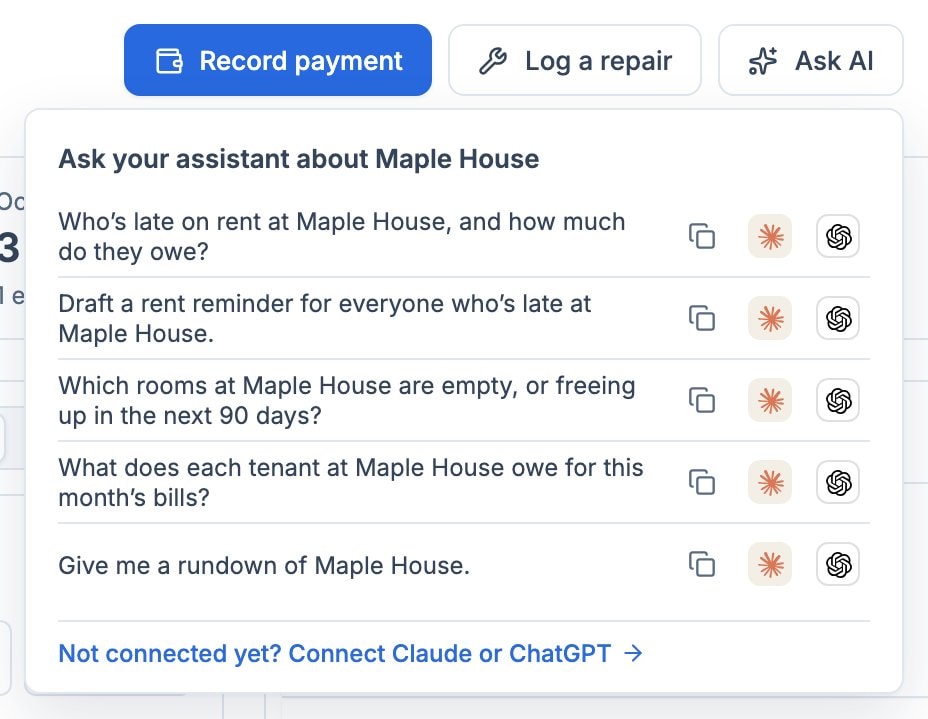
Settings › AI assistants and Ask AI on a property’s Overview list questions to copy or open in Claude or ChatGPT.
- Who’s late on rent, and how much do they owe?
- Which rooms are empty, or freeing up in the next 90 days?
- Draft a rent reminder for everyone who’s late.
What it can change
- Signing in gives 8 read-only tools and 4 prompts: Weekly check-in, Rent review, Rent reminders and Vacancy plan.
- A personal token with Read and write adds 16 tools that record rent payments, start tracking rent, and create or update properties, floors, rooms, tenants, agreements, parking spaces and repairs.
- No tool deletes records, moves money or sends messages. Add a messaging connector to your assistant to send the reminders and bill shares Roomline drafts.
Disconnect an assistant
In Settings › AI assistants, choose Disconnect beside it under Connected; it loses access immediately. Revoke tokens under Personal tokens, and remove the connector in your assistant too.