The Overview
Each house opens on its Overview: every room and bill month by month, what needs doing and what’s coming up.
On this page
Every room, month by month
The month strip above Rooms: rent collected against what’s expected, who’s late and how full the house is. It counts every agreement with rent this month, including one that ended during it, so it matches the Rent page.
Below it, a row per bedroom and a column per month. Green is paid, red is late, outlined is still to come, hatched is empty. Rooms and Utilities share one timeline: 6 months or 12, or what fits on a narrow screen. Select a month to open it in the rent ledger, or a room’s name to open it on the Board.
Record payment, at the top, logs a payment for any agreement here. Log a task, beside it, starts a repair; ⋯ has Add tenant, Add a room, Add a bill, Edit property and Year-end summary.
Log the bills
- Add each bill
Under Utilities, choose Add a bill: what it’s for, the usual amount and the company. Account and paying keeps the account number and a link to pay online.
- Log what it came to
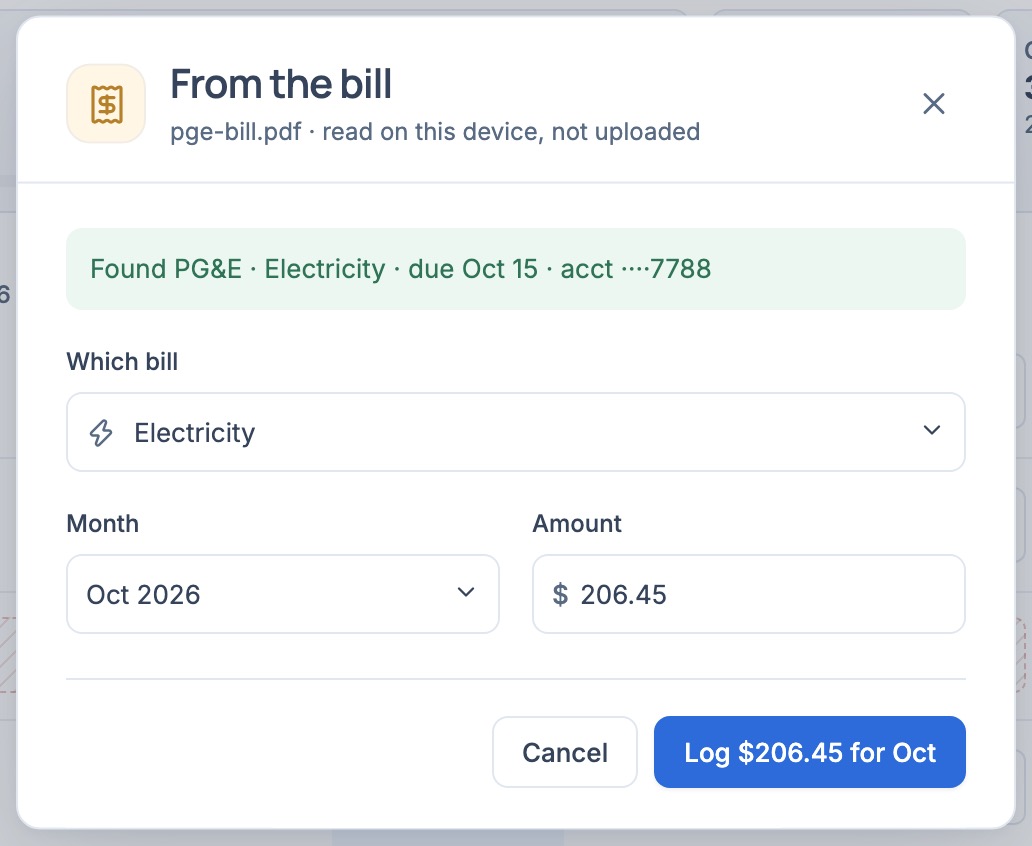
Select a month’s tile, type the amount, then press Enter or choose ✓. Or choose Read a bill, or drop the PDF on the card, and check what it found. Above the grid, the month’s total sits against a usual month, with what that comes to a bedroom.
Needs attention and Upcoming
- Needs attention lists what’s waiting on you, most pressing first: late rent with Remind and Record payment, bank deposits to confirm with Review, agreements ending with Renew and Move out…, empty rooms with Choose who’s moving in and List it, a deposit to settle, and open repairs.
- A fixed term past its end with no answer asks Still living there?: choose Renew, Month to month, or Move out….
- Upcoming lists rent days, bills due, agreements starting and ending, notice reminders and walkthroughs, soonest first. Show calendar lays them on a month; Add to calendar downloads them as a file with today’s dates, not a live feed.
- Notice reminders count back from each agreement’s notice period. Check them against your lease and local law.
Log a task
- Choose Log a task
At the top of the Overview, or in a room’s Records on the Layout. Say what needs attention, where, and how urgent; add photos, a due date, the cost and the contractor if you know them.
- See it through
Open the task from Needs attention, or its card on the Layout. Start work, then Mark done. A tenant who reported it from their page sees each update you post.
Year-end summary
Under ⋯, Year-end summary puts the year on one sheet, for you or your accountant: rent received by agreement and month, the house’s bills, repairs with a cost, and deposits taken in, kept or returned, with the net at the top. Download CSV or Print it. Mortgage interest, insurance, property tax and depreciation aren’t in Roomline.