Utilities
List the house’s monthly bills once and say which are in the rent and which tenants split. Roomline works out each tenant’s share and what an empty room costs you. It doesn’t pay bills or charge anyone.
On this page
Add the bills
- Open the property’s Overview
Utilities sits under Rooms. With no bills yet, choose the ones the house pays, such as Electricity, Gas, Water, Internet, and Trash, and enter what each usually costs a month.
- Or choose Add a bill
Pick the Bill, enter the Usual monthly amount, and choose In rent or Split between tenants under Who pays. Then choose Add bill. Select a bill’s name in the grid to edit it later.
| Field | Example | What it means |
|---|---|---|
| Provider | Xfinity | Who sends the bill. Common ones such as Xfinity or PG&E are suggested; type any. |
| Account / reference | ····4821 | A nickname for the account, shown on the row. Never required. |
| Pay online | https://… | The provider’s payment page. The row gets a Pay link. |
| Due day | 15 | 1 to 28. The bill then shows under Upcoming each month. |
| Autopay | On | The bill is paid automatically. It still shows under Upcoming, marked Autopay. |
In rent or split
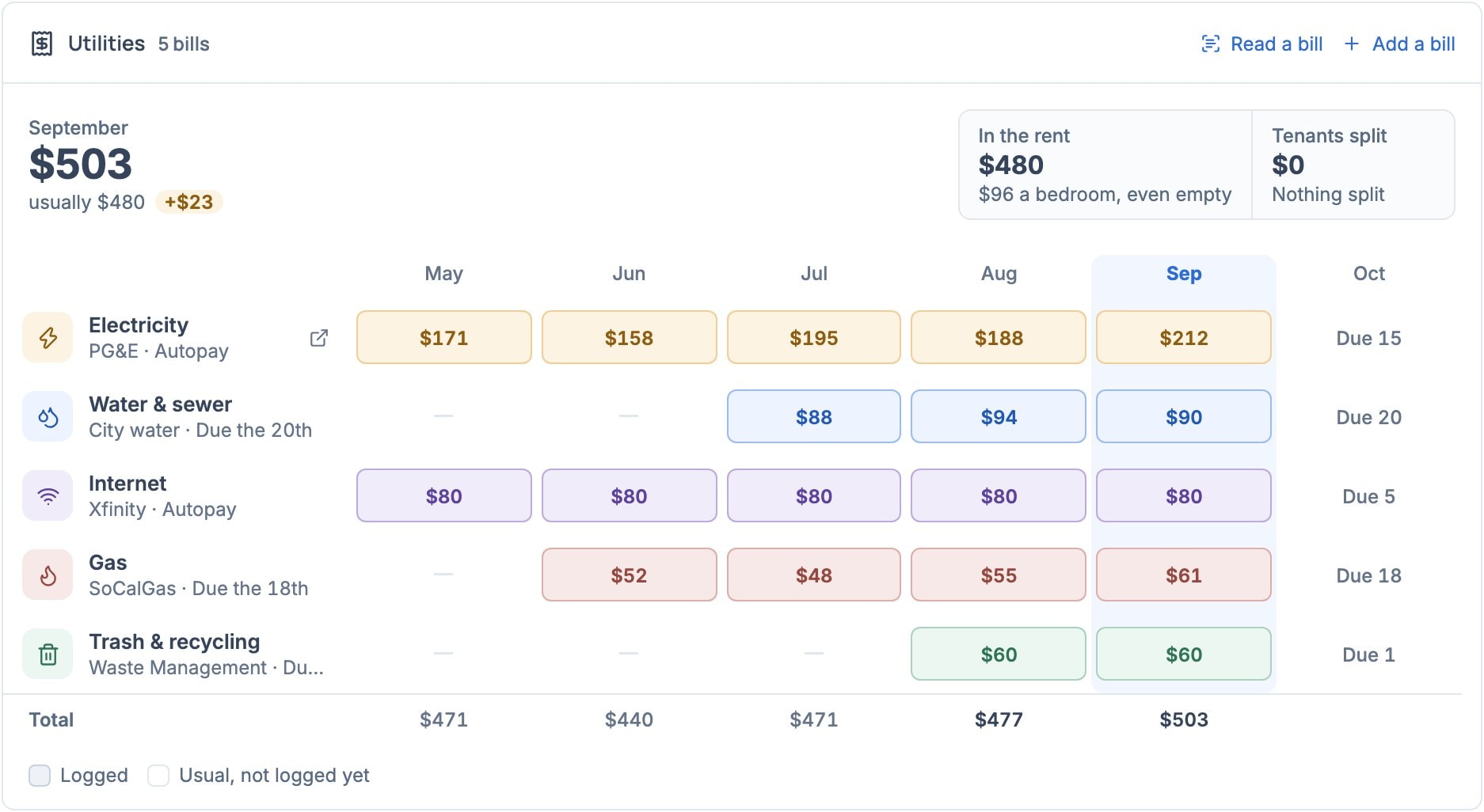
In rent means you pay the bill out of the rent. Split means the current tenants share it equally; the bill is marked Split under its name. Change it under Who pays in the bill’s dialog. Above the bills, In the rent and Tenants split show the two totals, with the share per bedroom and per tenant.
- An empty bedroom shows its share of the in-rent bills, what it costs you each month, on the Board, the floor plan, and under Needs attention.
- On the Board, a tenant’s details show their Bills share and which bills it covers.
- In the agreement form, Additional details offers Use the house’s bills to fill in the Utilities clause.
Log this month and send the split
- Enter this month’s amount
The bills grid has a row per bill and a tile per month, four months back to next month, like Rooms. This month’s tile shows the usual amount, outlined, until you log it: select the tile, type what the bill came to, and press Enter. Select any logged tile to change it, or clear it to remove the month. A month skipped after you started logging shows +. Total sums each month, faint where it still counts usual amounts.
- Or read the bill’s PDF
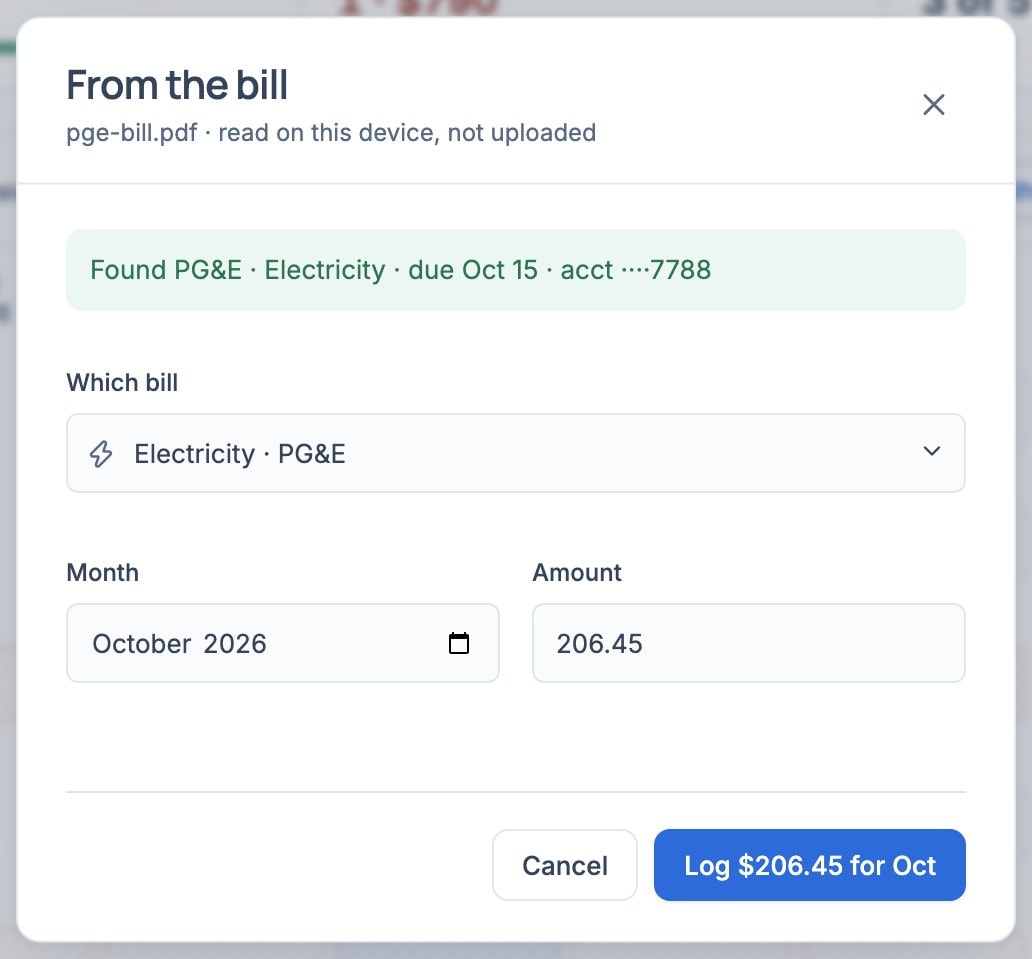
Choose Read a bill, or drop the PDF on Utilities. Roomline reads the company, amount, due date and account number in your browser; the file isn’t uploaded. A bill counts in the month it’s due. Check the bill and month, then choose Log. A scanned bill has no text to read, so type its amount instead.
- Or log what your bank paid
With a bank linked under Rent, a payment to a bill’s Provider (PG&E, Comcast for Xfinity, and so on) appears in that month’s tile, dashed blue. Select the tile to check the amount and press Enter, or choose Log all above the grid. Bills with no provider, or two bills from the same company, aren’t matched.
- Choose Copy split
Copies one message with each split bill, this month’s amounts, and the share per tenant, ready to paste into the house chat.