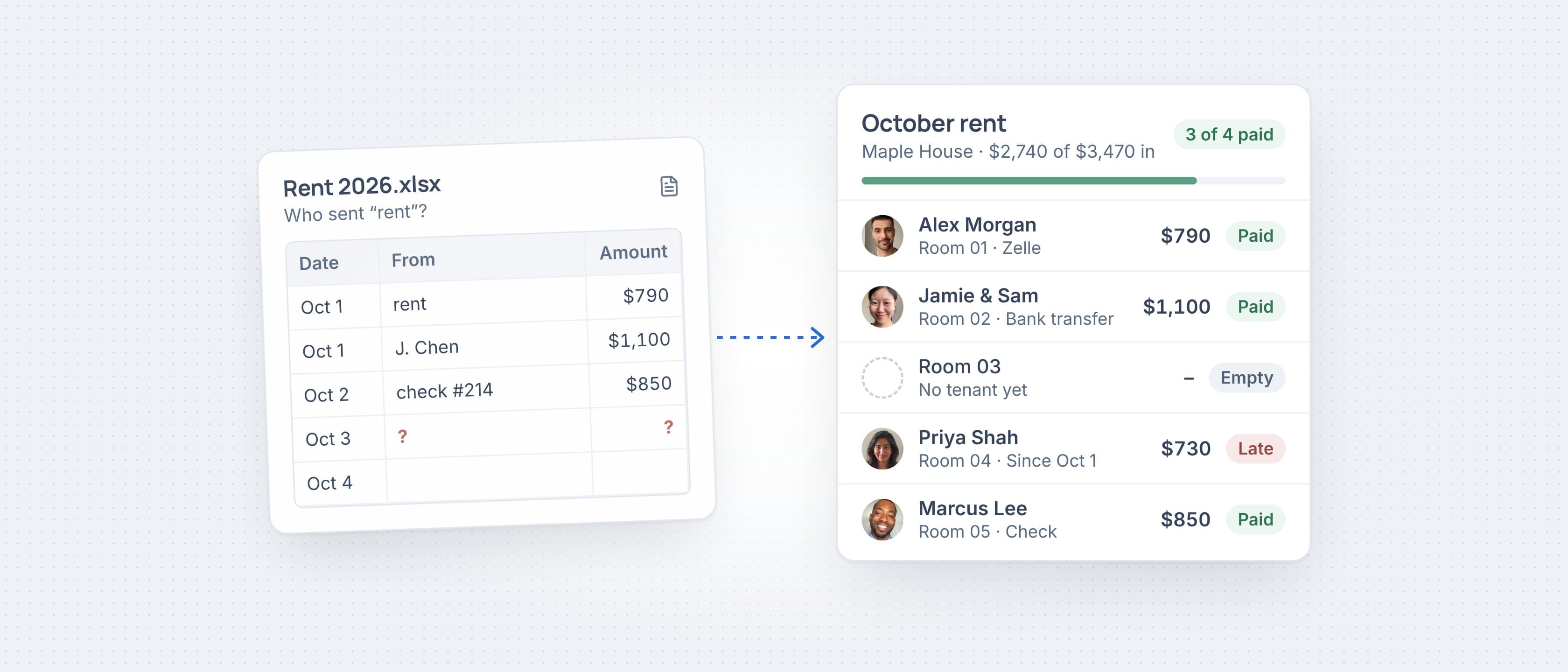
My girlfriend rents out the rooms in her house, and for a while rent lived in a Google Sheet. It worked for a few months. Then Jamie and Sam started paying for one room with one bank transfer, Marcus paid by check, and a Zelle note just said “rent”. I was spending the first week of every month figuring out who it was from. Here’s the sheet I’d still use if you want to stay in a spreadsheet, and what I do now instead.
Keep one row per unit or room and one column per month. Write down how each payment came in. Look at it a few days after rent is due, not on the 1st. If matching bank deposits to names eats your week, let an app do the matching.
The spreadsheet I started with
If you just have one or two places, a spreadsheet is honestly fine. The trick is one row per room each month, not one row per tenant. Then two people paying for one room, or a part payment, still makes sense later.
These are the columns I used. Copy them as is. The “How” column is the one people skip, and it’s the one you need in March when someone says they paid in October.
| Room | Tenant | Due | Paid | How | Paid on |
|---|---|---|---|---|---|
| Room 01 | Alex Morgan | $790 | $790 | Zelle | Oct 1 |
| Room 02 | Jamie Chen & Sam Rivera | $1,100 | $1,100 | Bank transfer | Oct 1 |
| Room 03 | Empty | – | – | – | – |
| Room 04 | Priya Shah | $730 | $0 | – | Late |
| Room 05 | Marcus Lee | $850 | $850 | Check | Oct 2 |
Where the spreadsheet broke
It wasn’t the math. It was the typing. Every payment had to be found in the bank app, matched to a name, then typed into the right cell. Zelle and Venmo notes are whatever the tenant feels like writing. One month I marked the wrong room paid and only caught it when the real tenant texted me.
The other problem was seeing who’s late. A blank cell on the 2nd isn’t late. A blank cell on the 6th is. The sheet can’t tell the difference unless you build it, and I never did.
- Matching: which deposit is which room, when the note just says “rent”.
- Two people, one room: one transfer that covers both of them.
- Late vs. not yet: rent due on the 1st with a few days of grace.
- History: the old months, still there and still right, a year later.
What I use now
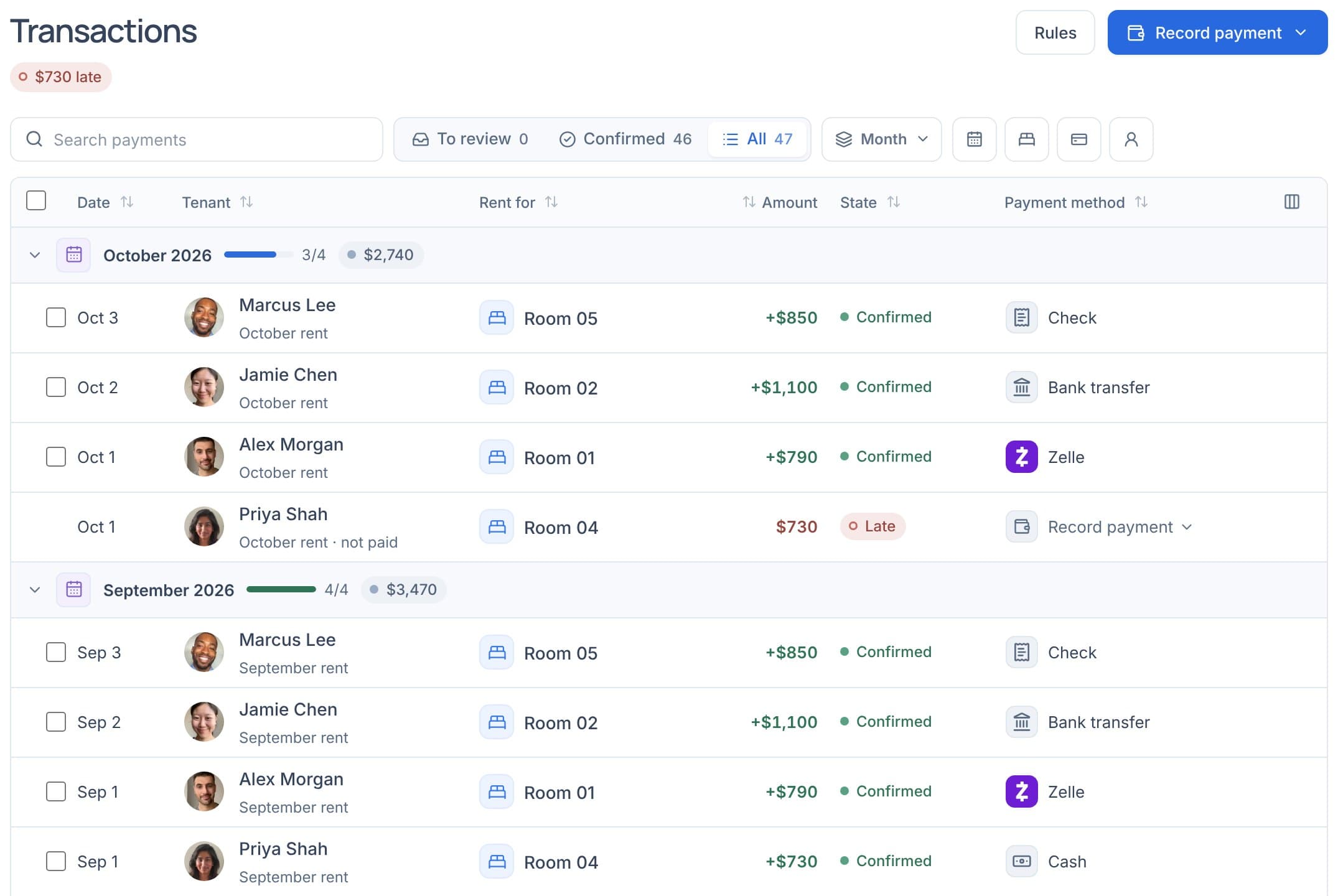
Now I use Roomline, which I built for exactly this. Each room has its own rent and its own tenant, so the month view is the same grid as the sheet. Green is paid, red is late, and an empty room shows as empty, not as missing rent.
I linked the bank account rent lands in. The link is read-only. Roomline sees the deposit come in and asks if it’s Alex’s rent. I hit yes. Checks and cash I record myself, which takes about ten seconds. Tenants keep paying the way they already do, and they pay nothing to use Roomline.
Moving off the spreadsheet
You don’t have to retype anything. Import takes your spreadsheet or another app’s export and brings your properties and tenants in. Then turn on rent tracking from the month you want to start. Months before that never count as owed, so you won’t get a wall of red on day one.
If you connect Claude or ChatGPT, you can also just ask. “How much rent should come in this month?” comes back with “$3,470 for October. $2,740 is in, $730 to go.” It reads your records. It never moves money.
What it doesn’t do yet
Roomline doesn’t take rent online yet. Tenants pay you by Zelle, Venmo, check or bank transfer like now, and Roomline keeps track of it. Paying from the tenant’s page is in the works. If you need online payments today, pair it with your bank or a payment app.
Common questions
What’s the easiest way to track rent from several tenants?
One row per unit or room, one column per month, and a note of how each payment came in. A spreadsheet works for a place or two. Past that, an app that matches bank deposits to tenants saves the most time.
Can I track rent paid by Zelle, Venmo or check?
Yes. In Roomline you record a check or cash in a few seconds, and Zelle, Venmo or bank transfers show up from your linked bank for you to confirm.
Is there a free rent tracker?
Roomline is free for 1 property after the 45-day trial. For more properties it’s $12 a month, or $96 a year. Tenants pay nothing to use Roomline.